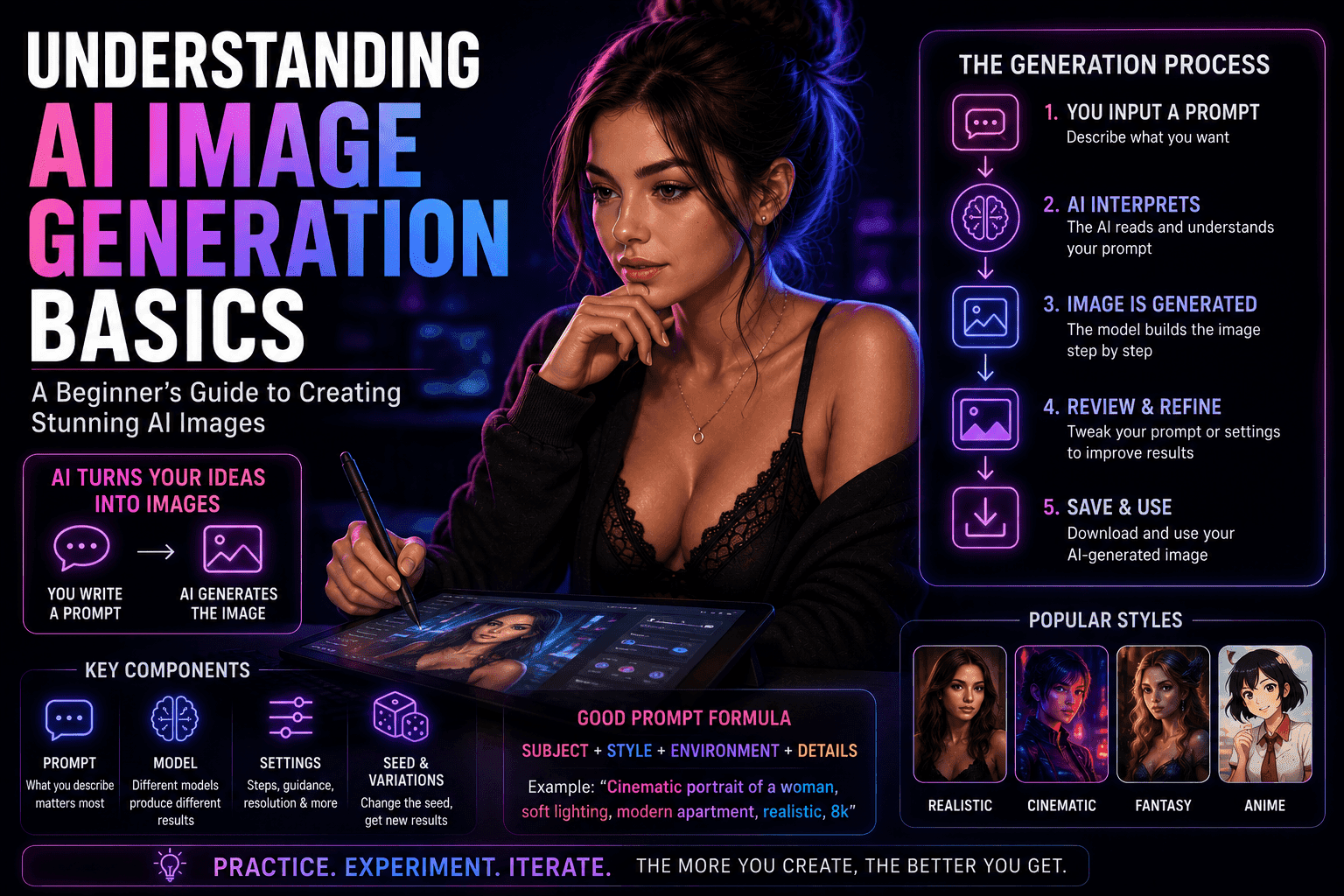
AI image generation uses machine learning models to create visuals from text prompts. Understanding prompts, styles, and settings is key to producing high-quality results.
Understanding AI Image Generation: Models, Tools, and Techniques
Introduction
AI image generation has become the foundation of modern digital content creation. From realistic visuals to stylized artwork, AI can now generate images in seconds based on simple text input.
But for beginners, it often feels confusing:
- Why do some images look amazing while others look broken?
- What makes a good prompt?
- How do these tools actually work?
This guide breaks everything down into simple, practical concepts so you can understand—and improve—your results quickly.
What Is AI Image Generation?
AI image generation is the process of creating images using artificial intelligence based on text descriptions (called prompts).
In simple terms:
You describe what you want → AI creates an image based on that description
Example:
- Prompt: “A cinematic portrait of a confident woman, soft lighting, modern interior”
- Output: A generated image matching that description
How AI Image Generation Works
At a basic level, AI models are trained on massive datasets of images and learn patterns.
The process:
- The AI reads your prompt
- It interprets keywords and context
- It generates an image step-by-step based on learned patterns
Important concept:
AI doesn’t “understand” like humans—it predicts what the image should look like based on data.
Key Components of AI Image Generation
1. The Prompt
The prompt is the most important part.
It defines:
- Subject (who/what)
- Style (realistic, artistic, cinematic)
- Environment (location/background)
- Details (lighting, mood, composition)
Example structure:
Subject + Style + Environment + Details
2. The Model
Different AI models produce different results.
Variations include:
- Realistic-focused models
- Artistic or stylized models
- Specialized models (portraits, anime, etc.)
Key idea:
Your output quality depends heavily on the model you use.
3. Sampling & Generation Settings
Most tools include settings that affect output.
Common ones:
- Resolution (image size)
- Steps (how detailed the generation is)
- Guidance scale (how closely AI follows the prompt)
Beginner tip:
Start with default settings, then experiment.
4. Seeds and Variations
A “seed” controls randomness.
What it does:
- Same seed = similar results
- Different seed = new variations
Why it matters:
Helps you recreate or refine specific images.
Types of AI Image Styles
Photorealistic
- Looks like real photography
- Focus on lighting and detail
Stylized / Artistic
- More creative or abstract
- Includes digital art, painting styles
Cinematic
- Dramatic lighting and composition
- Movie-like visuals
Minimal / Clean
- Simple, focused compositions
- Often used for design or branding
What Makes a Good Prompt?
A strong prompt is clear, specific, and structured.
Weak prompt:
“A woman”
Better prompt:
“A confident adult woman, cinematic lighting, modern apartment, soft shadows, high detail, realistic style”
Key improvements:
- Adds detail
- Defines style
- Sets environment
Common Beginner Mistakes
1. Being too vague
Leads to generic or poor results
2. Overloading prompts
Too many conflicting details confuse the AI
3. Ignoring style
Results look inconsistent
4. Not iterating
First result is rarely the best
How to Improve Your Results
1. Start simple
Then add details gradually
2. Save good prompts
Reuse and refine them
3. Study outputs
See what works and what doesn’t
4. Experiment with variations
Small changes can produce better results
AI Image Generation Workflow
A simple beginner workflow:
- Write a prompt
- Generate images
- Select the best output
- Refine prompt
- Repeat
Limitations of AI Image Generation
AI is powerful—but not perfect.
Current limitations:
- Occasional visual errors
- Inconsistent details
- Requires trial and error
Important mindset:
Think of AI as a creative assistant, not a finished solution.
Ethical Considerations
Even at the basic level, ethics matter.
Key points:
- Avoid using real people without consent
- Create original, fictional content
- Respect platform guidelines
FAQ
What is AI image generation?
It’s the process of creating images from text prompts using AI models.
Do I need technical skills?
No. Most tools are beginner-friendly.
Why do my images look bad?
Usually due to weak prompts or lack of detail.
Can I control the output?
Yes—through prompts, settings, and iteration.
Is it free to use?
Some tools are free, but advanced features often require payment.
Conclusion
AI image generation is one of the most powerful tools available today—but mastering it starts with understanding the basics.
Focus on prompts, learn how models behave, and practice consistently. The more you experiment, the better your results will become.
For beginners, the goal isn’t perfection—it’s progress.