
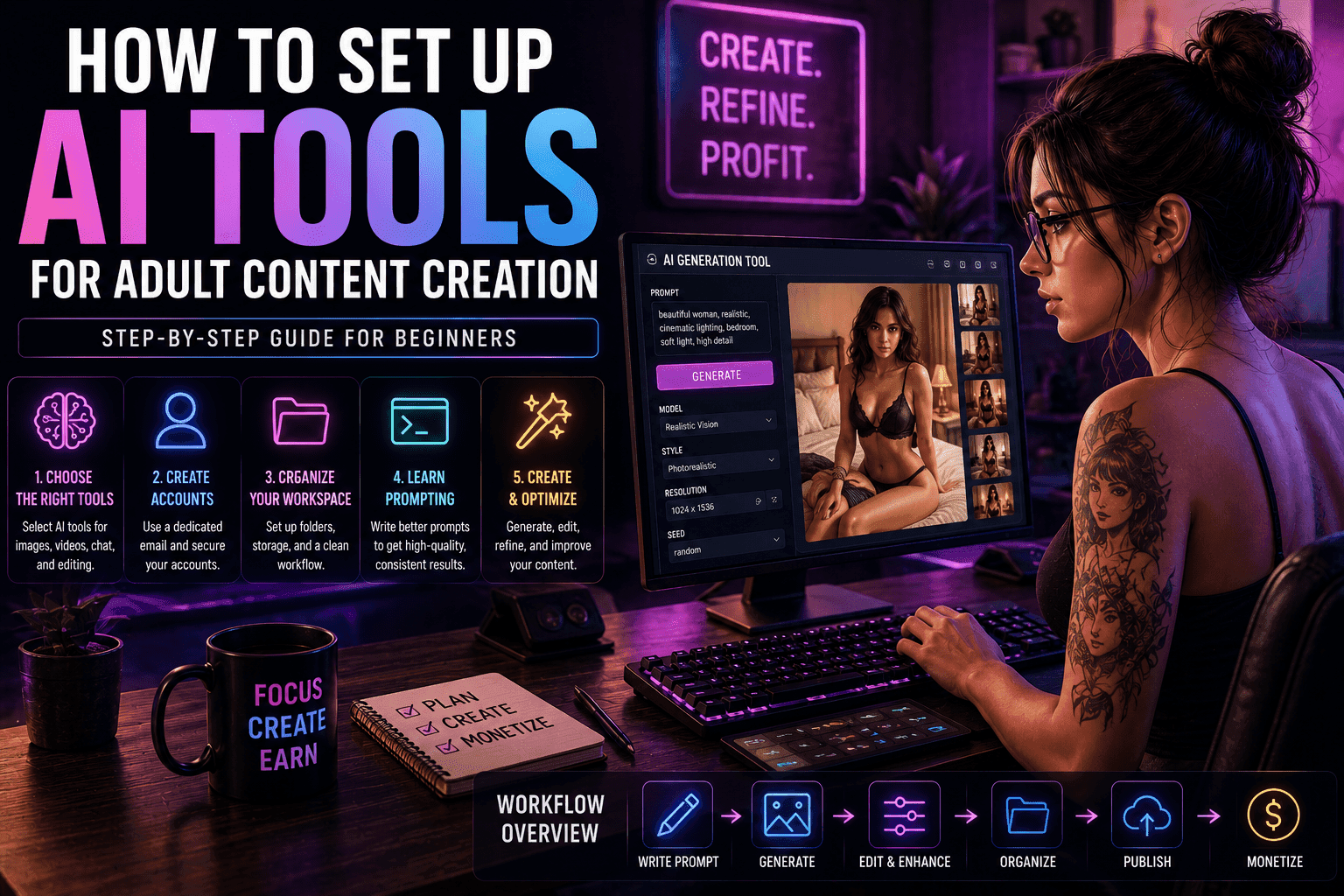
Setting up AI tools involves choosing the right platforms, creating accounts, organizing your workflow, and optimizing for quality and safety. A clean setup saves time and improves results.
AI Tools for Adult Content Creation: Complete Guide
Introduction
Getting started with AI tools for adult content creation can feel overwhelming at first. There are dozens of platforms, different workflows, and a lot of conflicting advice.
The truth is, you don’t need everything—you just need the right setup.
This guide walks you through a simple, beginner-friendly process to set up your AI tools, organize your workflow, and start creating efficiently from day one.
1. Define Your Content Goal First
Before touching any tools, decide what you actually want to create.
Common directions:
- AI-generated images
- Interactive chat/companion content
- Short-form video content
- Blog or gallery-based websites
Why this matters:
Your goal determines your tool stack. Without clarity, you’ll waste time switching between platforms.
2. Choose Your Core AI Tools
Start simple. You don’t need 10 tools—just 2–3 that cover your main workflow.
Essential categories:
1. Image Generation Tool
- For creating visual content
- Focus on quality and prompt control
2. Editing/Enhancement Tool
- Fix imperfections
- Improve realism and consistency
3. Optional: Chat or Video Tool
- For interactive or advanced content
Beginner tip:
Pick tools that are easy to use first—optimize later.
3. Create Separate Accounts for Safety
Never mix personal and content-creation accounts.
Setup checklist:
- Dedicated email address
- Unique username/brand name
- Strong password + 2FA
Why it matters:
This protects your identity and keeps your workflow organized.
4. Set Up Your Workspace
A clean workspace = faster production.
What you need:
- A reliable computer (no high-end specs required for most tools)
- Stable internet connection
- Organized file storage system
Folder structure example:
/Projects/Generated Content/Edited Content/Published
Pro tip:
Good organization saves hours as you scale.
5. Learn Basic Prompting
Prompting is your most important skill.
Beginner prompt structure:
- Subject (who/what)
- Style (realistic, cinematic, stylized)
- Environment (location, background)
- Lighting (soft, dramatic, neon, etc.)
- Details (pose, mood, composition)
Example (safe, non-explicit format):
“Portrait of a confident adult model, cinematic lighting, modern indoor setting, high detail, realistic style”
Tip:
Start simple, then refine based on results.
6. Create a Simple Workflow
Don’t overcomplicate your process.
Basic workflow:
- Generate content
- Review and select best outputs
- Edit/refine
- Organize and store
- Publish or schedule
Why it works:
Consistency beats complexity.
7. Test and Optimize Your Output
Your first results won’t be perfect—and that’s normal.
What to improve:
- Prompt quality
- Image consistency
- Style alignment
Strategy:
- Save successful prompts
- Compare outputs
- Iterate gradually
8. Set Up Content Storage and Backup
Never rely on a single storage location.
Best practices:
- Use cloud storage + local backup
- Organize by project or date
- Rename files clearly
Bonus tip:
Keep a “best content” folder for quick reuse.
9. Understand Platform Rules Early
Each platform has different guidelines.
What to check:
- Allowed content types
- Restrictions
- Monetization policies
Why it matters:
Avoid bans before they happen.
10. Add Basic Security Layers
Protect your accounts and content from day one.
Essentials:
- Two-factor authentication (2FA)
- VPN for privacy
- Secure passwords (password manager recommended)
11. Start Small, Then Scale
Many beginners try to do too much too fast.
Smart approach:
- Start with one content type
- Master your workflow
- Expand gradually
Example path:
Images → Better images → Add video or chat → Monetization
12. Build a Repeatable System
The goal isn’t just creating content—it’s creating efficiently.
What a good system looks like:
- Clear workflow
- Organized files
- Reusable prompts
- Consistent output quality
Common Setup Mistakes to Avoid
Using too many tools
Leads to confusion and wasted time.
Skipping organization
Creates chaos as content grows.
Ignoring security
Can lead to account or data loss.
Expecting instant perfection
AI requires iteration and learning.
FAQ Section
What tools do I need to start?
At minimum: one image generator and one editing tool.
Do I need technical skills?
No. Most tools are beginner-friendly.
How long does setup take?
You can be ready in a few hours, but mastering takes time.
Is it expensive to start?
Not necessarily. Many tools offer free or low-cost plans.
What’s the most important skill?
Prompting and consistency.
Conclusion
Setting up AI tools for adult content creation doesn’t need to be complicated. With the right approach, you can build a clean, efficient workflow in a short amount of time.
Focus on the basics: choose the right tools, stay organized, learn prompting, and prioritize quality. Once your foundation is solid, scaling becomes much easier—and much more profitable.